

How Menlo Security Cut Chromium Build Times from 4.5 Hours to 25 Minutes with NativeLink
August 28, 2026 · 6 minutes
"NativeLink is the simplest way to get fast builds with Chromium."
Christopher Staite, Principal Engineer, Menlo Security
At a Glance
- Company
-
 Menlo Security
menlosecurity.com
Menlo Security
menlosecurity.com
- Industry
- Cybersecurity, cloud browser isolation
- Scale
- A fleet of thousands of machines, each running 40 to 100 Chromium instances
- Challenge
- Continuous Chromium development at scale, with an insecure, non-scaling build cache
- Solution
- NativeLink remote build execution and content-addressable storage on Kubernetes
- Result
- Full Chromium builds reduced from ~4.5 hours to ~25 minutes
- Adoption
- 4+ years in production; used daily by every active developer
About Menlo Security
Menlo Security protects enterprises with browser isolation. Chrome runs in the cloud, and people use a thin local client. The page still looks and feels like a normal browser because rendering happens on the client, while JavaScript and other active content run remotely. That keeps users away from web-borne threats.
That design is expensive to build. Menlo runs a fleet of thousands of machines, each with 40 to 100 Chromium instances, and has to keep adding proxy features as upstream Chromium moves. About 18 engineers work on Chrome infrastructure across rebase, rendering, and functional teams. Plenty of other people in the company build in the same Bazel setup.
The Challenge: A Build Cache That Didn't Scale and Couldn't Be Trusted
Before NativeLink, Menlo's Chromium builds used a distributed object cache. It was letting them down in every way that mattered:
- Performance: The cache was slow, and builds ran on local developer machines. That could not grow with the team.
- Security: The object cache had no integrity controls, so it could be poisoned. For a security company that ships a browser, that was a supply-chain risk they could not accept.
- Developer time: A full Chromium build took about four and a half hours.
Christopher Staite, Principal Engineer at Menlo Security, already knew distributed build systems. He looked at Goma for distributed compilation and at Buildbarn as a backend. Buildbarn did not fit at the time. Then he found the project that became NativeLink, then called TurboCache. It handled content-addressable storage well, but it did not work with Goma yet.
The Rollout: From Four Workers to the Whole Team
Menlo did not wait for a perfect match. They put time into the open-source project instead. Christopher spent about four months getting it to work with Goma and sent that work back upstream. Those changes helped shape NativeLink as it is today.
Once Goma support landed, the rollout moved quickly:
- Initial deployment: A static pool of four workers and one scheduler that also served as the CAS.
- Developer adoption: Over about three months, the system reached developers' machines, and each machine needed far fewer local resources.
- Organic growth: Christopher built it first so he would not have to wait on builds. Other people joined once they saw the difference.
Today every active developer at Menlo Security uses NativeLink every day.
The Results
The number Menlo watches most is developer wait time:
| Before | After | |
|---|---|---|
| Full Chromium build | ~4.5 hours | ~25 minutes |
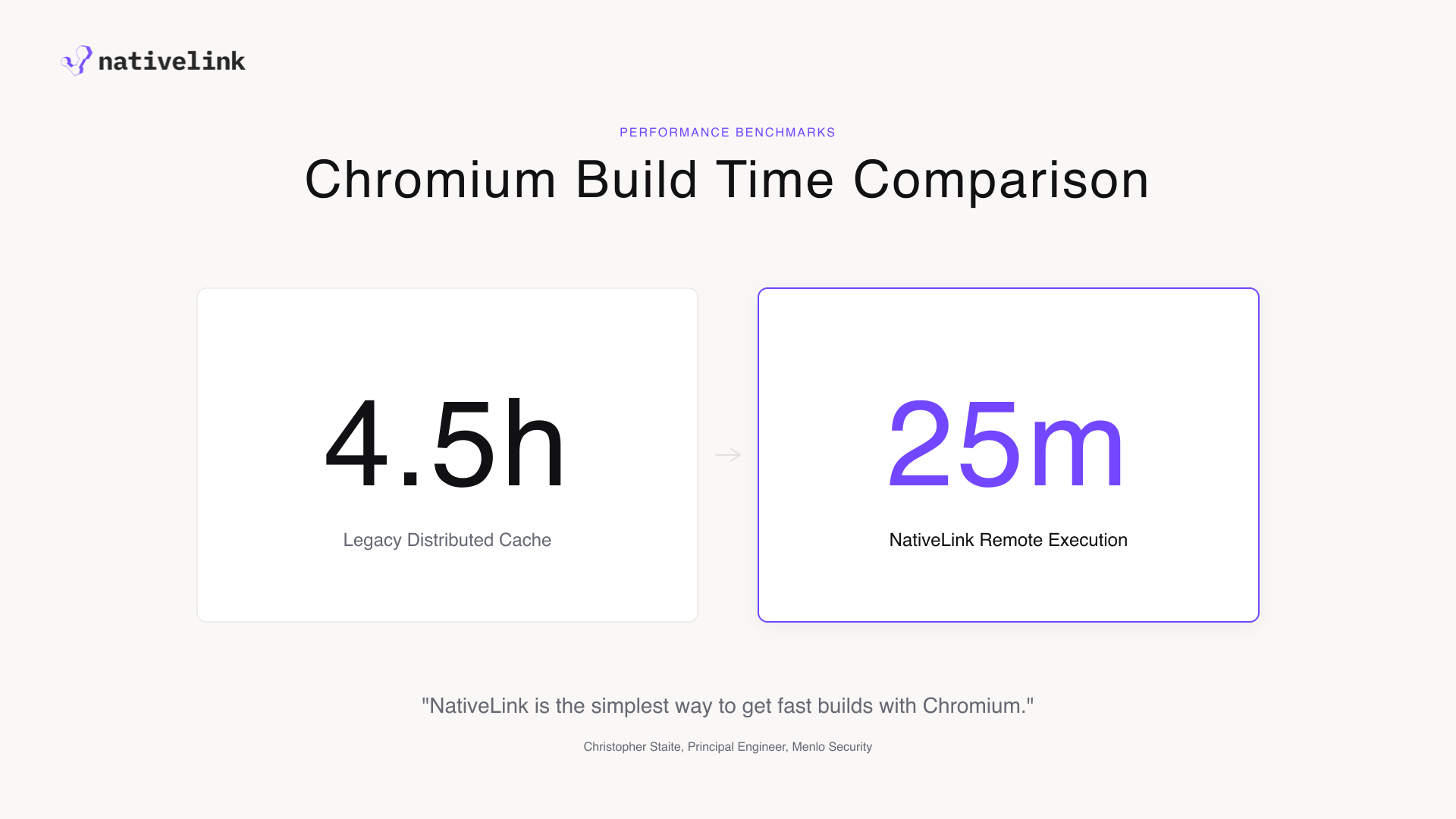
Christopher calls it a "game changer." The time that remains is mostly the link step, which is a Chromium tooling limit, not a NativeLink one.
The economics work out as well. Menlo caches everything and keeps artifacts in Google Cloud Storage. Storage is cheap enough that they keep every artifact, including every developer build, because deleting them is not worth the work. How NativeLink is configured, and what it costs to run compared with other options, is a big part of why Chris chose it.
The Architecture: Flexibility as a Feature
Menlo runs all builds on Kubernetes in a hybrid layout:
- Cloud control plane: Scheduler and action-cache traffic go to the cloud, with artifacts in GCS.
- Multi-tier caching: Each office has a local NativeLink CAS cache, so most builds never fetch from the cloud. A Chromium build that is not cached can need about 8 GB of downloads, so the local cache pays for itself quickly.
- Elastic workers: Menlo built an autoscaling worker provisioner (later contributed upstream) that adds and removes workers while keeping a set of warm base workers ready, so a quick developer build does not sit on a cold start.
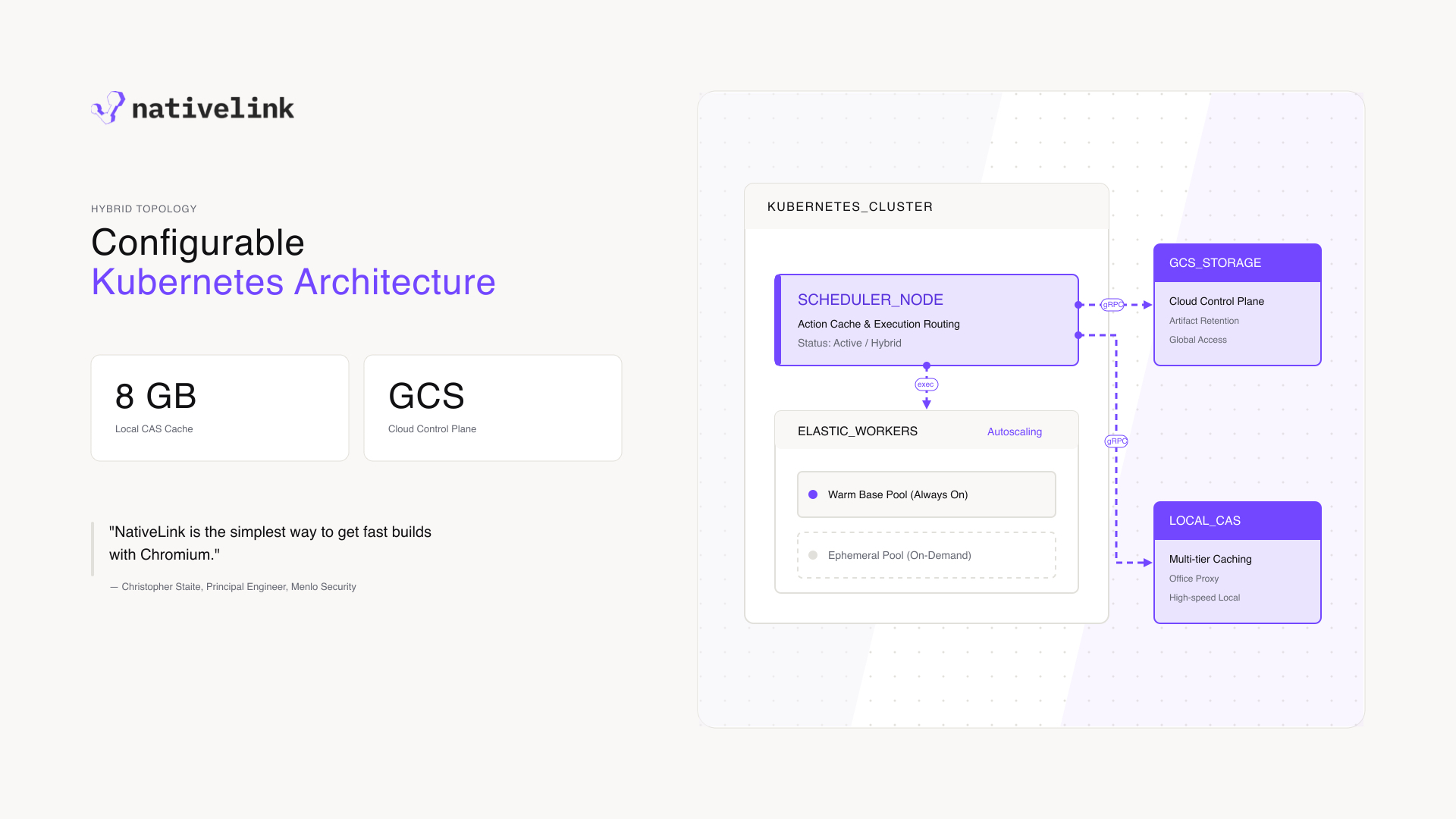
For Christopher, that flexibility is why NativeLink fits. Teams that need fast storage, and the freedom to deploy it their own way, get the most from it. Menlo's "crazy topology" (GCS storage, multi-tier proxies in Kubernetes, and a proxy in the local build environment) is the kind of setup NativeLink is built to support.
What's Next
Menlo and NativeLink are looking at the next gains in build speed:
- Cloud co-location: Move build machines next to the cluster. That only works if workers can start from a warm Chromium checkout. A fresh checkout takes 1 to 1.5 hours, so snapshot-based ephemeral workers are the missing piece.
- Elastic heavy workloads: LTO release builds use about 16 GB of RAM and about 45 minutes per architecture. In a release week that can jump to about 64 builds at once. On-demand heavy workers would remove the need to keep peak capacity running all the time.
- Hermetic Bazel builds: Use remote execution beyond Chromium, as the rest of Menlo's codebase becomes hermetic. NativeLink's team is helping with that move.
Advice for Teams Evaluating NativeLink
Christopher's advice is straightforward. NativeLink is a good fit if you need fast, secure build infrastructure and you want to shape the deployment around your own network. Looking back, he wishes the path to the final architecture had been clearer. NativeLink has since published sizing guidance, reference docs, and a modern Helm chart, so that path is written down instead of living in a few people's heads.
Want builds like this? Learn more at nativelink.com or get started at enterprise.nativelink.com.
NativeLink Blog